

TeamTracker – Professional Employee Time & Activity Monitoring Suite
TeamTracker is a robust cross-platform desktop application designed for businesses, team leads, and HR managers. It provides a complete workspace to manage the entire employee work lifecycle from punch-in/out tracking and task assignment to screenshot monitoring and detailed productivity reporting.
The application includes real-time screen activity capture, keyboard and mouse activity tracking, and break management, along with a built-in help request system for team communication. With secure cloud synchronization and dynamic remote configuration, teams can efficiently manage workforce data across devices. Built with Flutter for desktop, it delivers a smooth and professional experience tailored for enterprise workflows.
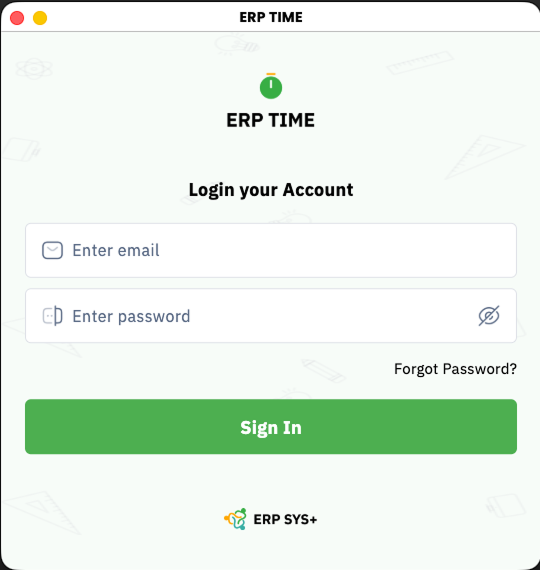
See It In Action
Real screens from the shipped product crafted for an intuitive, smooth, and delightful user experience.
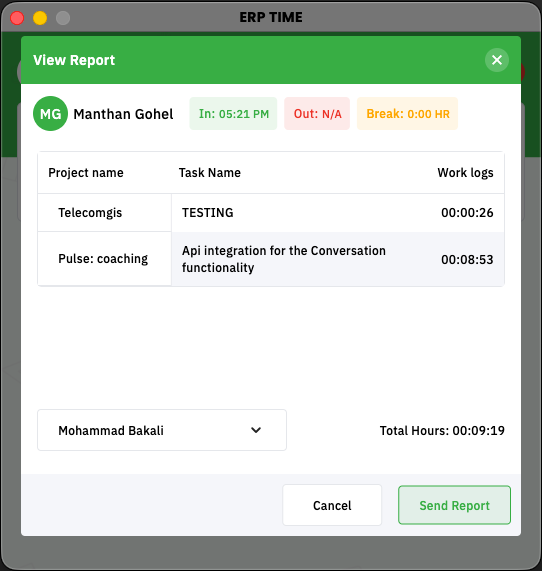
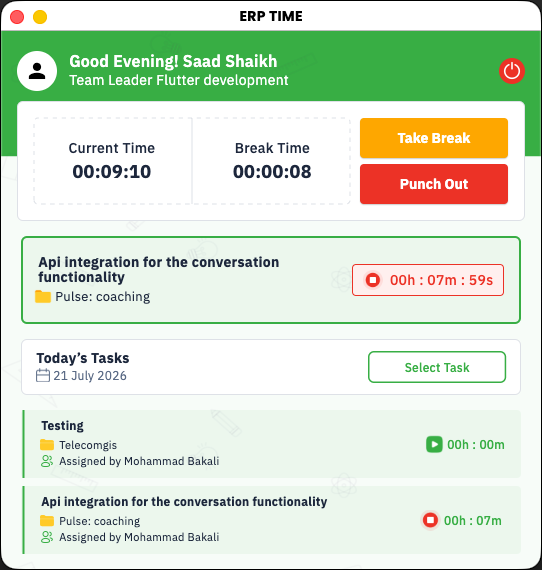
Key Features
Punch In / Punch Out Time Tracking :
- Overview : Accurate tracking of employee work sessions
- Functions : Start and stop sessions, track total time, and calculate overtime
- Management : Runs in the background even when minimized
Screenshot and Screen Activity Monitoring :
- Overview : Automatic screen capture during active work sessions
- Functions : Periodic screenshots with cloud upload
- Management : Timestamp tracking and permission-based control
Keyboard and Mouse Input Tracking :
- Overview : Tracks user activity to measure engagement
- Functions : Monitors input activity in real time
- Detection : Identifies inactivity and triggers alerts
Project and Task Management :
- Overview : Manage and assign work tasks
- Features : Project selection, task tracking, priority and deadlines
- Output : Activity logs linked to work sessions
Break and Idle Time Management :
- Overview : Tracks breaks and idle periods
- Control : Separates active work time from non-working time
Help Request and Team Communication :
- Overview : Built-in communication system
- Mechanism : Send and manage help requests within the team
Work Notes and Documentation :
- Overview : Add notes during work sessions
- Features : Store notes linked to tasks and projects
Reporting and Analytics :
- Overview : Insights into productivity and attendance
- Capabilities : Work summaries, time reports, and performance tracking
System Tray and Background Operation :
- Overview : Runs seamlessly in the background
- Features : Control app functions from system tray without interrupting work
Remote Configuration and Multi-Environment Support :
- Overview : Manage app behavior without updates
- Control : Adjust settings like tracking intervals and configurations remotely
Third Party SDKs & Libraries
Carefully selected integrations powering this project's core functionality.
Have a similar idea?
Let's build it together.
From concept to launch we turn your vision into a world-class product. Get a free consultation today.